 modopodo
Search notes by meaning, not just by the words you remember
In short
Modopodo lets you search notes by meaning. Type what a note was about, such as “that worry about money in spring”, and semantic search finds notes with that idea even if they use different words. Regular word search still works for exact names and phrases, so you can find a note either way.
You remember the gist of a thought, not its wording. You wrote “budget is tight until the bonus”, and months later you search for “money stress”. A keyword search finds nothing. Searching notes by meaning fixes that.
What is semantic search in a notes app?
Semantic search finds notes whose meaning matches your query, rather than only notes that contain the same words. Under the hood, notes and queries are turned into numerical representations of meaning (often called embeddings) and compared, as Evernote’s explainer describes.
Semantic search vs keyword search: which do I need?
You need both, and Modopodo has both. Keyword search is best for exact names and phrases; semantic search is best for ideas you only half remember.
| You search for | Keyword search finds | Search by meaning also finds |
|---|---|---|
| money stress | Notes containing “money” or “stress” | “Budget is tight until the bonus” |
| feeling stuck at work | Notes with those words | “Same tickets every sprint, nothing new to learn” |
| gift ideas for mom | Notes with “gift” or “mom” | “She loved that pottery class in May” |
| Anna | Every note naming Anna | Useful too, but keyword or browse-by-person is faster here |
How do I find notes by meaning in Modopodo?
- Open search
Type a phrase that describes the thought, in your own words.
- Describe, do not recall
Try “the idea about a podcast” rather than guessing the exact title.
- Scan titles and summaries
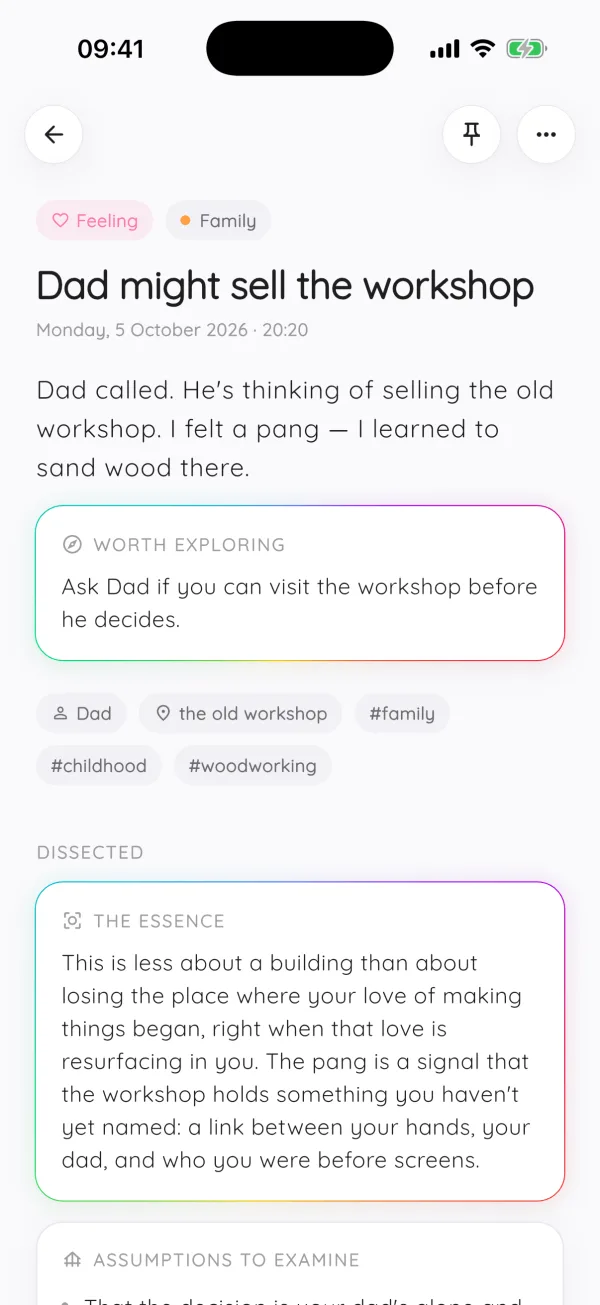
Every result has a title and short summary, so you can tell quickly which note you meant.
- Follow related notes
Once you open a note, related notes show the rest of the thread.
Why does smart search matter more for voice notes?
When you talk, you phrase things loosely and differently each time. A voice notes app produces notes you would never search for word for word, so meaning-based search is what makes those notes findable later.
Other ways to find a note
- Themes: every note is filed under a theme automatically, each with a one-line summary.
- Timeline: scroll back to roughly when you had the thought.
- People: see all notes that mention a person.
- Ask a question: instead of finding notes, get an answer drawn from them with links to the source notes. See chat with your notes.
Search vs asking your notes
Search returns a list of notes for you to read. Asking returns a written answer, with citations to the notes it came from. Use search when you want the original note; ask when you want a summary across many notes, like “what have I decided about the move so far?”
Examples of searches that work well
- “times I felt proud at work” to find wins for a performance review.
- “book recommendations from friends” when you are at a bookstore.
- “what I learned about negotiating” across notes from different years.
- “arguments for staying in the city” before a big decision.
- “ideas for Sam’s birthday” in December, from notes you made in June.
How do I get better results from semantic search?
Describe the idea in a few words, the way you would explain it to someone else. Very short queries like a single word behave more like keyword search; a short phrase gives the search more meaning to work with.
- Use a phrase, not a word
“worried about the move” works better than “move”.
- Describe the situation
Mention who or what it involved if you remember.
- Switch to keywords for exact terms
For a product name, a street or a quote, search the exact words.
- Browse when you know the area
If you know it was a work note, open the Work theme and scan by kind.
This is especially useful for a learning journal, where you rarely remember how you phrased what you learned.
Why can’t I find my notes with normal search?
Because you rarely remember your own wording. You might have written “dreading the dentist” and later search for “anxiety”, or noted “Lisa’s pottery thing” when you now think of it as “gift idea”. Keyword search needs the words to overlap. Search by meaning only needs the ideas to overlap, which is how memory actually works.
Automatic titles and summaries help too: even when the body of a note is rambling, its title and summary give search a clear statement of what the note is about.
Frequently asked questions
What is semantic search in notes?
Semantic search finds notes by what they mean rather than by matching exact words. A search for “money stress” can find a note that says “budget is tight until the bonus”.
Does Modopodo still have normal keyword search?
Yes. You can search by words as well as by meaning. Keyword search is handy for exact names, places and phrases.
Which notes apps have semantic search?
Several notes apps now offer meaning-based search, including Modopodo and, according to its help center, Evernote. The bigger difference between apps is what happens around search: how notes get organized and whether you can ask questions of them.
Can I search my voice notes by meaning?
Yes. Voice notes in Modopodo are transcribed to text, so they are searchable by words and by meaning just like typed notes.
What is the difference between searching and asking my notes?
Searching gives you a list of matching notes. Asking gives you a written answer to a question, with citations that link to the notes it used.