 modopodo
The Modopodo second brain web app: your notes in the browser
In short
Modopodo includes a second brain web app at podomodo.com/modopodo/app with every subscription. Sign in with the same Apple or Google account as on iPhone and your notes sync live. You can capture by text or voice, browse, search, edit, ask your notes and get reflections in the browser. There is no Android app yet.
A phone is the best place to capture a thought. A bigger screen is often the better place to read back through a month of them, look at a theme in depth or ask your notes a long question. The Modopodo web app gives you that second way in.
Can I access my notes in a browser?
Yes. Subscribers can open the web app at podomodo.com/modopodo/app and sign in with the same Apple or Google account they use on iPhone. Your notes live in your account, not on a single device, and sync live between phone and browser.
What can I do in the web app?
Nearly everything you can do on iPhone. The main exception is starting a subscription, which happens in the iPhone app.
- Capture by text or with live voice transcription.
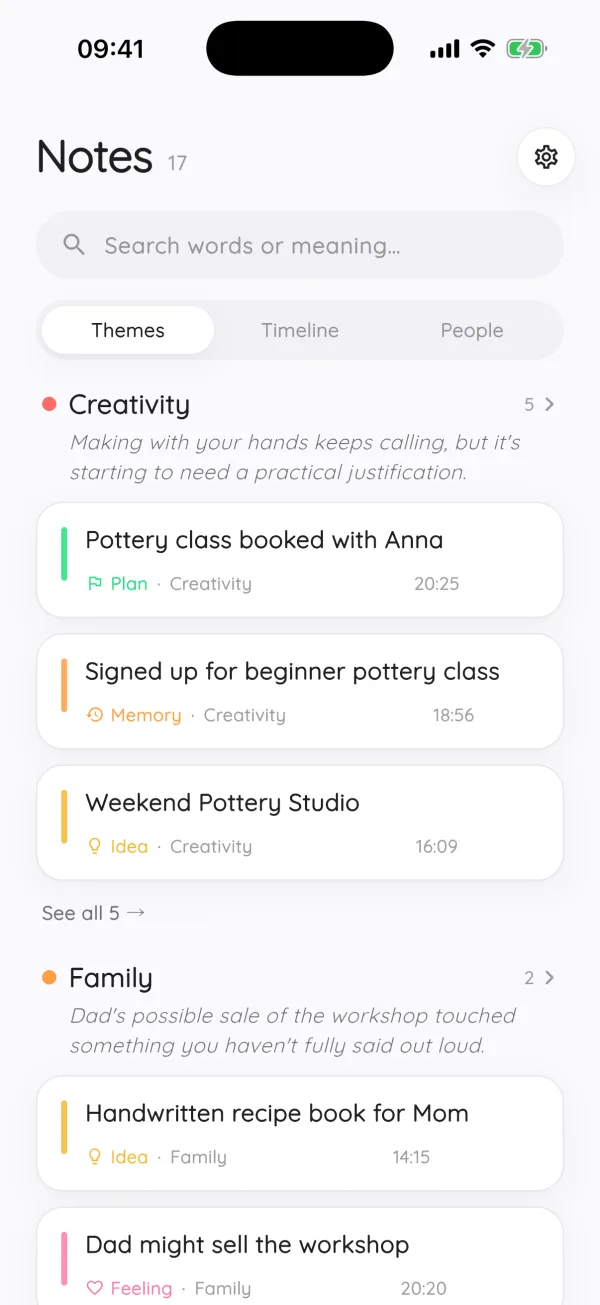
- Browse by theme, timeline or person, and search by words or by meaning.
- Edit and correct notes, kinds and themes.
- Dissect a note, see growing ideas, and ask for reflections.
- Ask your notes a question and follow the citations.
How do I start using the second brain web app?
- Set up Modopodo
Create your account and start your subscription in the iPhone app (iOS 15 or later). Every plan starts with 30 days free.
- Open the web app
Go to podomodo.com/modopodo/app on your computer.
- Sign in with the same account
Use the same Apple or Google sign-in you use on iPhone.
- Pick up where you left off
Capture, browse by theme, timeline or person, search by meaning, and ask your notes.
What is a second brain, and why use one on the web?
A second brain is an external system that holds your ideas and notes so your head does not have to. Our guide what is a second brain covers the idea in depth. Having it in the browser matters because different moments need different screens: capture on the go, review at a desk.
| Moment | Best device | Why |
|---|---|---|
| A thought on a walk | iPhone | One tap to speak, live transcription |
| End-of-week review | Web | Room to read themes and reflections side by side |
| Writing a longer note | Web | A real keyboard |
| Answering “what did I decide?” | Either | Same notes, same account |
Is there a Modopodo app for Android or Windows?
There is no Android app yet. Modopodo is an iPhone app, and the web app runs in a browser for subscribers. There is no separate desktop app for Windows or Mac; use the web app instead.
Do I need a subscription to use the web app?
Yes, the web app is for subscribers, and subscriptions are started in the iPhone app. Every plan starts with a 30-day free trial with full access, then costs $6.99 per month or $49.99 per year (prices may vary by country). See pricing.
Is the web app private too?
It uses the same account and the same storage: notes are kept in the EU and isolated per account, with no advertising or tracking SDKs. Details are on the private AI journal page.
How does it compare to Notion or Obsidian on the web?
Notion is a flexible workspace you build yourself; Obsidian is a local-first app built around Markdown files and plugins. Modopodo is narrower: capture by voice or text, and let AI organize, connect and reflect. For a side-by-side look, see Modopodo vs Notion and Modopodo vs Obsidian.
A simple routine for phone and web
- During the week, capture on iPhone
Speak or type whenever something is on your mind. Do not organize anything.
- Once a week, open the web app
Scan your themes and their one-line summaries to see what has been going on.
- Read and respond
Ask for a reflection, pin what rings true, and write a short note in response.
- Ask one question
For example “What did I decide this week?” and follow the citations back to the notes.
This split keeps capture fast and review comfortable. Over a few weeks, the themes start to read like a map of what is on your mind.
Why keep your second brain in one account?
Split systems leak. Ideas end up in a phone note, a browser tab and an email to yourself, and none of them know about the others. With one account behind the iPhone app and the web app, every note lands in the same place, gets organized the same way, and shows up in the same reflections and answers, whichever screen you used to write it.
Who gets the most out of the web app?
People who sit at a computer for most of the day, people who like to review on a big screen, and anyone who writes longer notes and prefers a real keyboard. If you mostly capture on the go, the iPhone app may be all you need; the web app is there when a bigger screen helps.
Frequently asked questions
Does Modopodo have a web version?
Yes. Subscribers can use the web app at podomodo.com/modopodo/app, signing in with the same Apple or Google account as on iPhone. It includes capture, search, reflections, dissect, growing ideas and Ask.
Are my notes synced between iPhone and the web?
Yes. Your notes are stored in your Modopodo account and sync live, so a note you capture on iPhone shows up in the browser, and the other way round.
Is the Modopodo web app free?
The web app is included with a Modopodo subscription. Every plan starts with 30 days free, then $6.99 per month or $49.99 per year.
Can I use Modopodo on Android?
There is no Android app yet. Modopodo runs on iPhone, and subscribers can also use the web app in a browser on other devices.
What is the best second brain app for web and iPhone?
It depends on whether you want to build a system or have one built for you. Notion and Obsidian reward setup; Modopodo organizes your notes automatically. See our list of the best second brain apps for a broader comparison.